Convert .ttb to .sdltb
Convert a Trados Termbase (.ttb) quickly and directly to a MultiTerm Termbase (.sdltb) in three easy steps.
→ No need to make conversions to other formats like XML or to follow a multi-step procedure ←
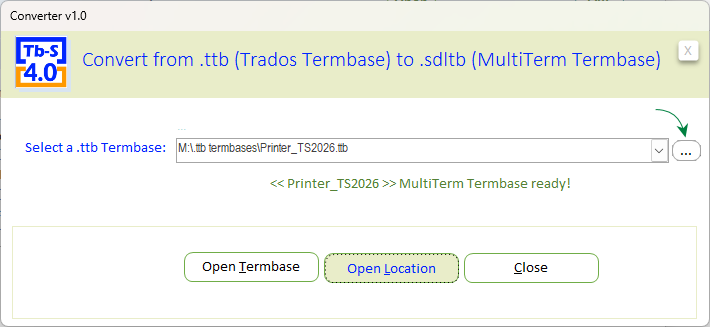
Use the button with three dots to select a Trados Termbase (a .ttb file). Upon completion of the conversion, the three-button menu will appear.
- Open Termbase: Immediately open the newly converted Termbase directly into Tb-Scout v4.0
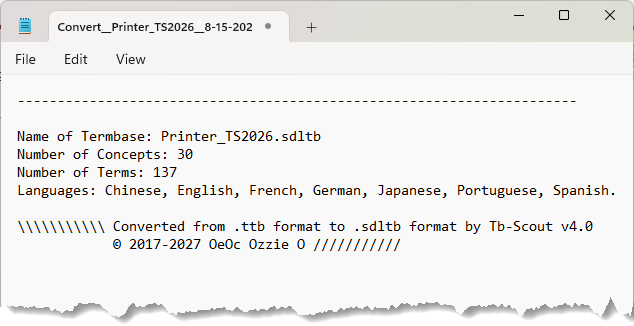
- Open Location: Open the folder (with the exact name of the Termbase) where the newly converted Termbase is saved, together with a log file
- Close: Indicate the location path of the newly converted Termbase and close the Conversion module
From Microsoft Access to SQLite